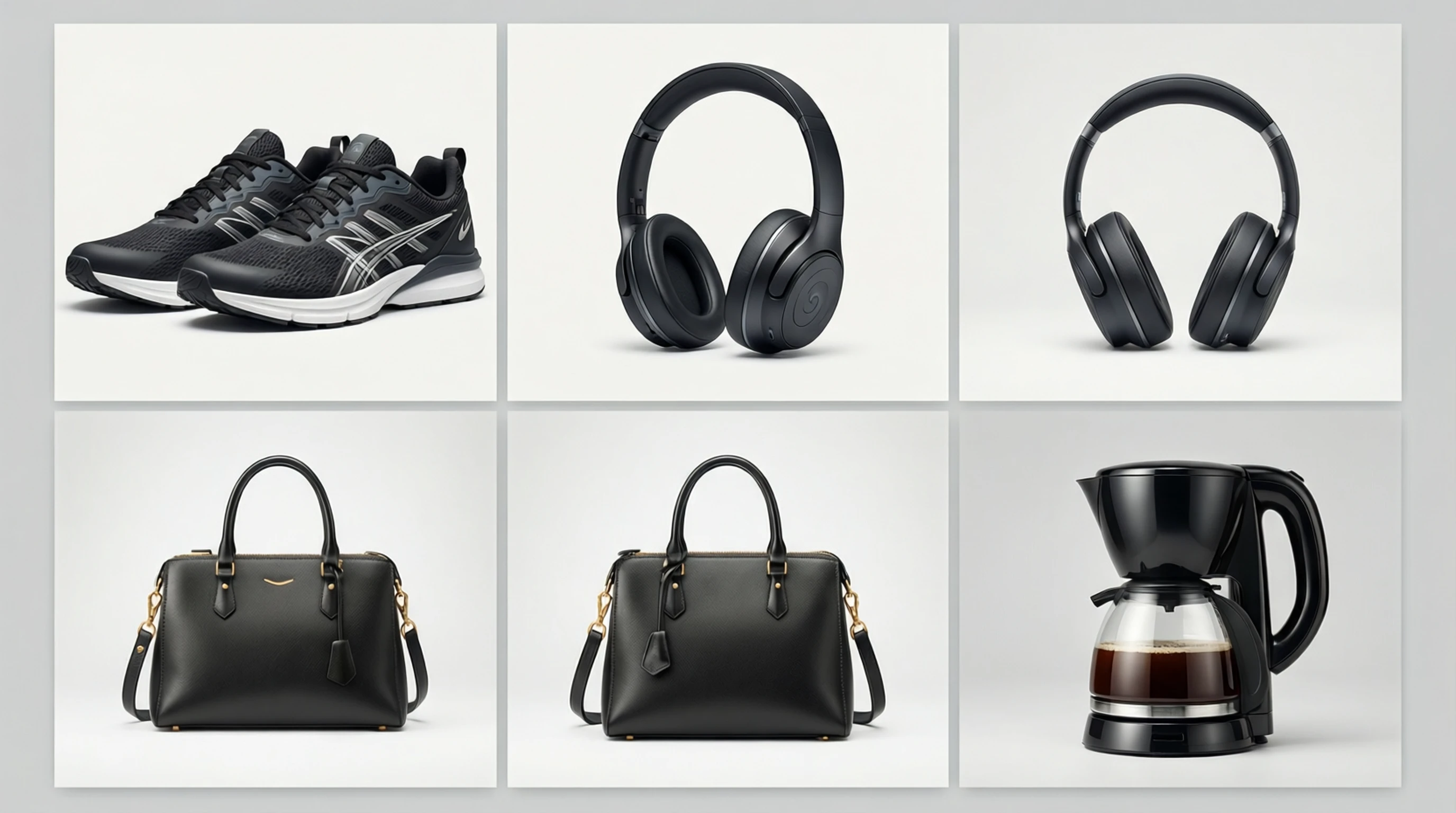
How Sellers on Amazon, Etsy & Shopify Use Background Removal to Boost Sales
How Sellers on Amazon, Etsy & Shopify Use Background Removal to Boost Sales
Every second a shopper spends on your product listing, they are making a judgment based almost entirely on what they see. In an online marketplace where customers cannot touch, feel, or try your product, product photography is the single most influential factor driving purchase decisions. Sellers who master their visual presentation consistently outperform competitors, even when their pricing is higher.
This guide breaks down exactly how successful sellers on Amazon, Etsy, and Shopify use background removal to create professional product images at scale, without spending thousands on studio photography.
Why Product Photo Quality Is the Number One Factor in Conversion Rates
Research from multiple e-commerce platforms confirms a clear pattern: listings with high-quality, clean product images convert at 2 to 3 times the rate of listings with poor photography. The data is hard to ignore.
- 93% of consumers consider visual appearance to be the key deciding factor in a purchasing decision.
- Amazon reports that listings with compliant, high-quality images receive significantly more clicks in search results.
- Etsy sellers with professional-looking photos see average order values increase by 20% or more.
- Shopify stores that upgrade their product imagery report bounce rate reductions of 30% to 40%.
The reason is straightforward. Online shoppers cannot physically inspect a product. They rely on images to assess quality, understand scale, evaluate color accuracy, and build the confidence they need to click "Add to Cart." A cluttered background, inconsistent lighting, or amateur framing triggers doubt, and doubt kills conversions.
Clean, distraction-free backgrounds are at the center of professional product photography. They keep the focus squarely on the product, create visual consistency across a catalog, and meet the strict listing requirements of major marketplaces.
Amazon Image Requirements: The White Background Mandate
Amazon has some of the most specific image guidelines in e-commerce. Failing to meet them can result in suppressed listings, meaning your product becomes invisible in search results.
Amazon Main Image Requirements
- Pure white background with RGB values of 255, 255, 255.
- The product must fill at least 85% of the image frame.
- Minimum dimension of 1000 pixels on the longest side (1600 pixels or more recommended for zoom functionality).
- Accepted file types: JPEG (.jpg), PNG, GIF, or TIFF.
- No text, logos, watermarks, or borders on the main image.
- No props, accessories, or additional objects that are not included in the purchase.
- The product must be fully visible and not cropped at the edges.
Amazon Secondary Image Guidelines
Secondary images (slots 2 through 9) offer more flexibility. Sellers can use:
- Lifestyle shots showing the product in use.
- Infographic images highlighting features and dimensions.
- Close-up detail shots of materials and craftsmanship.
- Comparison images showing size relative to common objects.
Why Background Removal Matters for Amazon
Getting that perfect pure white background in-camera is surprisingly difficult. Even professional light boxes produce off-white tones, shadows, and subtle gradients that fail Amazon's automated image checks. AI-powered background removal solves this instantly by isolating the product and replacing the background with exact RGB 255, 255, 255 white.
Etsy Listing Photo Best Practices
Etsy's marketplace caters to handmade, vintage, and unique products, which means the photography standards differ from Amazon's clinical approach. Etsy does not mandate white backgrounds, but the platform's top sellers follow a distinct visual strategy.
What Works Best on Etsy
- First photo: A clean, uncluttered image of the product, ideally on a neutral or white background. This is the thumbnail shoppers see in search results.
- Lifestyle context images: Show the product in its intended environment, such as jewelry worn on a model, a candle on a styled shelf, or a print hanging on a wall.
- Scale and detail shots: Help buyers understand size and quality.
- Process photos: For handmade items, behind-the-scenes shots build authenticity and trust.
Etsy Image Specifications
- Recommended resolution: 2000 pixels on the shortest side.
- Aspect ratio: 4:3 or 3:2 for optimal display.
- File types: JPG, PNG, or GIF.
- Up to 10 images per listing.
The Hybrid Approach for Etsy Sellers
The most successful Etsy sellers use a combination of clean background images for the primary listing photo and styled lifestyle shots for secondary images. Background removal allows them to create that professional first impression while maintaining the handmade, artisanal feel that Etsy shoppers expect in the remaining images.
Shopify Product Photography Standards
Shopify gives store owners complete control over their visual presentation, which is both an advantage and a challenge. Without marketplace-enforced standards, the quality of product photography varies enormously across Shopify stores.
Shopify Image Best Practices
- Square format (1:1 aspect ratio) at 2048 x 2048 pixels for sharp display on all devices.
- Consistent backgrounds across all products for a cohesive storefront.
- White or light gray backgrounds for the primary product image.
- Alt text on every image for SEO and accessibility.
- File size under 20 MB, optimized for fast page loads.
Why Consistency Matters on Shopify
Unlike marketplaces where your product appears alongside competitors, a Shopify store is your own branded space. Visual inconsistency, such as some products on white backgrounds, others on kitchen tables, and others on colored paper, makes the store look unprofessional and erodes trust.
Background removal enables catalog-wide consistency regardless of when or where each product was photographed. A seller can photograph 50 items across different days, lighting conditions, and locations, then use AI to normalize every image to the same clean background.
Marketplace Image Requirements: Comparison Table
| Requirement | Amazon | Etsy | Shopify |
|---|---|---|---|
| White background required | Yes (main image) | No (recommended) | No (recommended) |
| Minimum resolution | 1000px longest side | 2000px shortest side | 2048 x 2048px recommended |
| Recommended resolution | 1600px+ for zoom | 2000px+ | 2048 x 2048px |
| Accepted formats | JPEG, PNG, GIF, TIFF | JPG, PNG, GIF | JPEG, PNG, GIF, WEBP |
| Max images per listing | 9 | 10 | Unlimited |
| Text on main image | Not allowed | Allowed | Store dependent |
| Product fill requirement | 85% of frame | No minimum | No minimum |
| Max file size | 10 MB | 20 MB | 20 MB |
Step-by-Step: From Smartphone Photo to Marketplace-Ready Image
You do not need a professional camera or a dedicated studio to create product images that sell. Here is the exact workflow that thousands of sellers use to go from a quick smartphone photo to a polished, marketplace-compliant listing image.
Step 1: Capture the Raw Photo
- Place your product on any clean, contrasting surface.
- Use natural light from a window, or a simple desk lamp with a white sheet as a diffuser.
- Hold your phone steady (or use a small tripod) and shoot from slightly above at an angle.
- Take multiple shots from different angles.
Step 2: Quick Edits on Your Phone
- Adjust brightness and contrast so the product looks accurate.
- Crop to center the product in the frame.
- Straighten the image if it is slightly tilted.
Step 3: Remove the Background with AI
- Upload your photo to an AI background removal tool like Remove-Backgrounds.net.
- The AI isolates the product from the background in seconds.
- Download the result as a transparent PNG.
Step 4: Add the Final Background
- For Amazon: Place the cutout on a pure white (RGB 255, 255, 255) canvas.
- For Etsy: Use white, off-white, or a styled background that matches your brand.
- For Shopify: Apply your store's consistent background color or style.
Step 5: Resize and Optimize
- Resize to meet each platform's requirements (see comparison table above).
- Save as JPEG for smaller file sizes or PNG if you need transparency.
- Compress the file to ensure fast loading without visible quality loss.
Step 6: Upload and Publish
- Upload your optimized images to the marketplace listing.
- Add descriptive alt text for accessibility and SEO.
- Verify the images display correctly on both desktop and mobile.
The entire process takes under 5 minutes per product once you establish a routine.
A/B Testing Results: Clean Backgrounds vs Lifestyle Shots
Which performs better as a primary listing image: a clean white background or a styled lifestyle shot? The data from split tests across multiple marketplaces tells a consistent story.
Test Results Summary
- Amazon main image (white background vs lifestyle): White background images had a 12% higher click-through rate in search results. This is partly because Amazon's algorithm favors compliant images.
- Etsy primary thumbnail (white vs styled): Clean backgrounds increased clicks by 8% to 15% depending on the product category.
- Shopify product pages (white vs lifestyle hero): Results were mixed. For commodity products (phone cases, cables, generic home goods), white backgrounds performed 10% better. For lifestyle and premium products (candles, artisan goods, fashion), styled backgrounds outperformed by 5% to 8%.
The Winning Strategy
The data supports a combined approach:
- Use a clean, white background for the primary listing image. It maximizes click-through rates in search results and meets marketplace requirements.
- Include 2 to 3 lifestyle images in secondary slots. They help shoppers visualize the product in their own lives, which increases add-to-cart rates.
- Add at least one detail or close-up shot. This addresses quality concerns and reduces return rates.
Background removal makes this strategy efficient by allowing you to create both versions from a single photoshoot. Photograph the product in a lifestyle setting, then remove the background from selected images to generate the clean white version.
How to Create Consistent Product Catalogs with 100+ Items
Scaling product photography is one of the biggest operational challenges for growing e-commerce businesses. When your catalog grows beyond a handful of items, maintaining visual consistency becomes increasingly difficult.
The Consistency Challenge
- Products are added over months or years, under different lighting conditions.
- Multiple people may photograph items using different setups.
- Seasonal products are shot in batches with varying equipment.
- Supplier-provided images arrive in wildly different styles.
The AI-Powered Solution
AI background removal eliminates the most visible source of inconsistency: the background. Here is how sellers managing large catalogs approach it:
1. Batch Processing Workflow
- Photograph products in groups of 10 to 20 using any available setup.
- Process all images through AI background removal in a single session.
- Apply the same background template to every image.
- Export at standardized dimensions.
2. Style Guide Enforcement
Create a simple style guide that covers:
- Background color (hex code or RGB value).
- Product positioning (centered, with consistent padding).
- Shadow style (none, soft drop shadow, or natural shadow).
- Output dimensions and file naming convention.
3. Template-Based Production
Use a standard canvas template for each marketplace:
- Amazon: 2000 x 2000px, pure white, product centered at 85% fill.
- Etsy: 2000 x 1500px, brand-consistent background.
- Shopify: 2048 x 2048px, store theme-matched background.
This workflow allows a single person to process 50 to 100 product images per day while maintaining perfect consistency.
Budget Breakdown: DIY with AI vs Professional Studio
Understanding the true cost of each approach helps sellers make informed decisions about their photography investment.
Option 1: Professional Photography Studio
| Expense | Cost |
|---|---|
| Per-product photography (simple items) | $15 to $50 per image |
| Per-product photography (complex items) | $50 to $150 per image |
| Batch rates (50+ products) | $10 to $30 per image |
| Retouching and background removal | $3 to $10 per image (additional) |
| Total for 100 products (3 images each) | $3,900 to $18,000 |
Option 2: DIY with AI Background Removal
| Expense | Cost |
|---|---|
| Smartphone (already owned) | $0 |
| Simple lighting kit (optional) | $30 to $80 one-time |
| Small tripod | $15 to $30 one-time |
| AI background removal tool | Free to $15 per month |
| Your time (5 min per product) | Approximately 8 hours for 100 products |
| Total for 100 products (3 images each) | $45 to $125 + your time |
Option 3: Hybrid Approach
| Expense | Cost |
|---|---|
| Professional shoot for hero and lifestyle images (10-20 key products) | $300 to $1,000 |
| DIY with AI for remaining catalog | $45 to $125 |
| Total for 100 products | $345 to $1,125 |
Which Option to Choose
- New sellers and side businesses: Start with DIY and AI. The quality is more than sufficient for initial listings, and the cost savings allow you to invest in inventory and marketing instead.
- Growing businesses (100+ products): The hybrid approach gives you premium lifestyle content for your top sellers while efficiently covering the rest of the catalog.
- Established brands with high margins: Professional photography makes sense when your average order value justifies the investment, but even these businesses use AI tools for quick updates and seasonal additions.
Tips for Different Product Categories
Background removal techniques and best practices vary depending on what you sell. Here are category-specific recommendations.
Clothing and Apparel
- Shoot on a mannequin or model, then remove the background. Flat-lay photography also works for casual items.
- Ghost mannequin technique: Photograph the garment on a mannequin, remove the background, then edit out the mannequin to create a floating, 3D effect.
- Pay attention to fabric edges. AI tools handle clean edges well, but very fine details like lace or fringe may need a quick manual touch-up.
- Include shots that show fit, drape, and texture.
Jewelry and Accessories
- Use macro photography to capture fine details.
- Shoot against a high-contrast background (dark products on white, light products on dark) for the cleanest AI separation.
- Reflective surfaces like metals and gemstones benefit from controlled lighting. A light tent or diffused lighting reduces harsh reflections before background removal.
- Show items at actual size next to a common reference object in secondary images.
Electronics and Gadgets
- Clean the product thoroughly. Fingerprints and dust become highly visible on clean backgrounds.
- Capture all ports, buttons, and connection points in detail shots.
- Screen displays: If the device has a screen, either show it powered on with a clean interface or powered off with a clean reflection.
- Include packaging and included accessories in at least one image.
Food and Beverages
- Packaging shots benefit greatly from background removal. Isolate the bottle, bag, or box on white for the main listing image.
- For prepared food, lifestyle shots usually outperform white background images, but the packaging itself should still have a clean primary image.
- Pay attention to color accuracy. Food products need to look appetizing, and color shifts from background removal can occasionally affect perception.
- Label legibility: Ensure text on packaging remains sharp and readable after processing.
Home Goods and Furniture
- Photograph from multiple angles including front, three-quarter, top-down, and detail shots.
- For larger items, include a human or common object for scale in secondary images.
- Texture and material close-ups are essential for items like fabrics, wood grain, and ceramics.
- Consider using a subtle drop shadow after background removal to ground the product and prevent it from looking like it is floating.
Frequently Asked Questions
Does background removal affect image quality?
Modern AI background removal tools process images at their original resolution. When you upload a high-resolution photo, the output maintains the same pixel dimensions and detail level. The key is to start with a sharp, well-lit source image. Low-quality inputs will always produce low-quality results regardless of background processing.
Can AI handle products with complex edges like hair or fur?
AI models trained on diverse datasets handle complex edges remarkably well, including hair, fur, feathers, and translucent materials. The results are comparable to what a skilled Photoshop editor would produce in 15 to 30 minutes, but delivered in seconds. For extremely fine details, a quick manual refinement may occasionally be needed.
How do I get the exact white background Amazon requires?
After removing the background, export your image as a PNG with transparency, then place it on a new canvas filled with pure white (hex #FFFFFF, RGB 255, 255, 255). Most image editors and even presentation tools like Google Slides can do this. Alternatively, many AI background removal tools offer a direct "white background" export option.
Is it worth investing in professional photography if AI tools exist?
It depends on your volume and product type. For catalogs under 50 products with premium pricing, professional photography can provide a meaningful quality advantage, especially for lifestyle images. For larger catalogs, seasonal updates, or budget-conscious sellers, AI-powered DIY workflows deliver excellent results at a fraction of the cost. Many successful sellers use a hybrid approach.
How many images should each product listing have?
Use every available image slot. On Amazon, that means 7 to 9 images. On Etsy, aim for 8 to 10. The recommended breakdown is: 1 main image on a clean background, 2 to 3 lifestyle or in-use images, 2 to 3 detail and feature images, and 1 size or scale reference image. More images give shoppers more information and confidence, which directly reduces return rates.
Do I need different images for each marketplace?
Ideally, yes. Each marketplace has different image specifications and audience expectations. At minimum, you need Amazon-compliant white background images for Amazon, and you may want warmer, more styled images for Etsy and your Shopify store. Background removal makes this efficient because you can create multiple versions from a single photoshoot.
Start Creating Marketplace-Ready Product Photos Today
Professional product photography is no longer gated behind expensive equipment and studio time. With a smartphone, decent lighting, and an AI background removal tool, any seller can produce images that meet marketplace requirements and compete with established brands.
Try Remove-Backgrounds.net free to instantly remove backgrounds from your product photos. Upload an image, get a clean cutout in seconds, and download a marketplace-ready result. No signup required, no watermarks, and no limits on what you can create.
Whether you are listing your first product on Etsy or managing a 500-item Shopify catalog, clean product photography is the fastest, most cost-effective way to increase your sales.