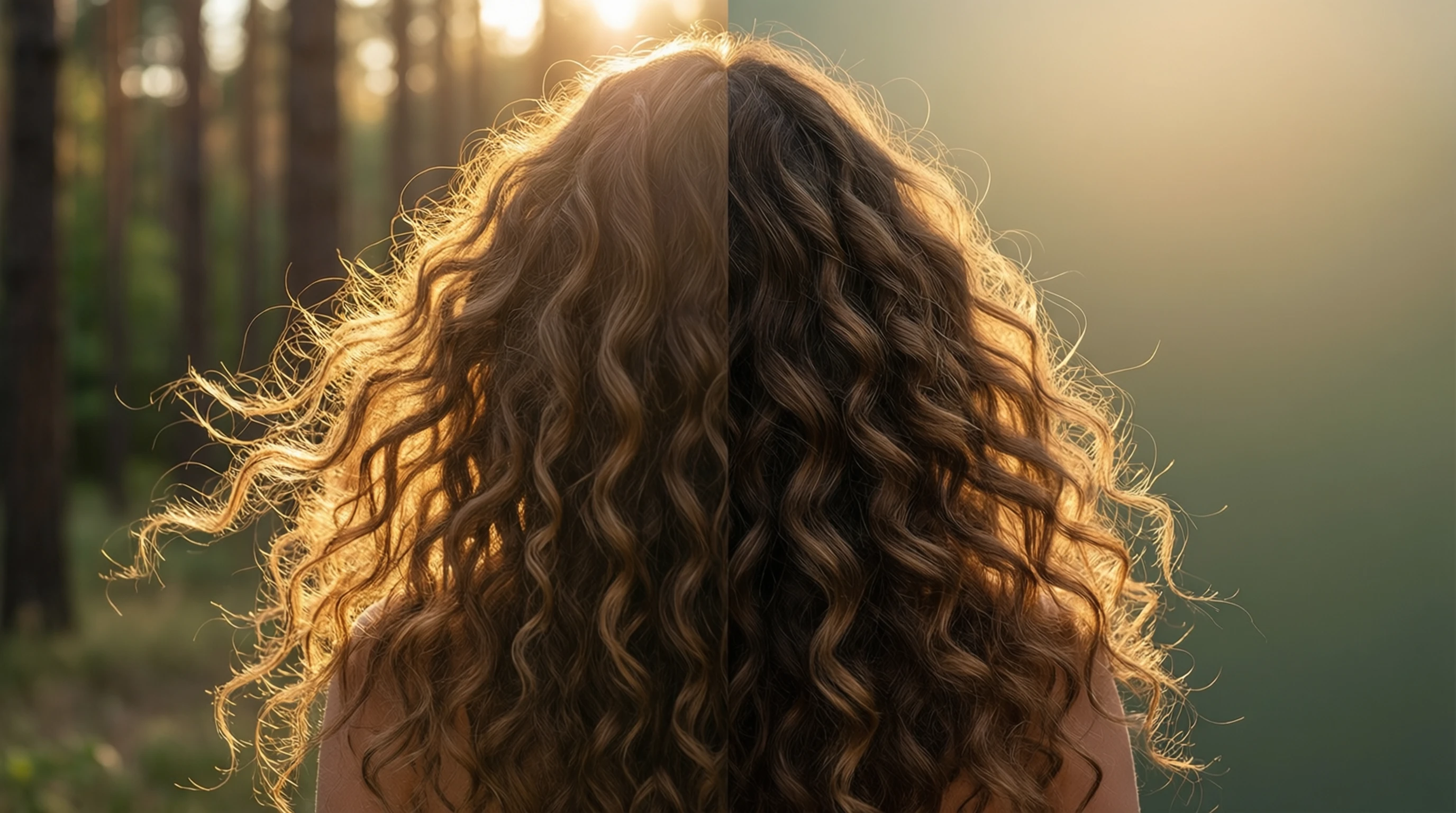
How to Remove Background from Hair and Fur: Solving the Hardest Edges with AI
How to Remove Background from Hair and Fur: Solving the Hardest Edges with AI
Ask any professional photo editor what the hardest part of background removal is, and the answer is almost always the same: hair and fur. These fine, semi-transparent, overlapping strands have frustrated designers for decades. Traditional tools demand hours of painstaking manual work, and even then the results often look unnatural.
Modern AI background removal has changed the equation entirely. Deep learning models trained on millions of images can now detect individual hair strands, wispy flyaways, and fluffy fur with remarkable accuracy — delivering results in seconds that previously took even skilled editors half an hour or more.
This guide covers everything you need to know about removing backgrounds from images with complex hair and fur edges: why it is so difficult, how AI solves the problem, and practical tips for getting the best results from portraits and pet photography.
Why Hair and Fur Are the Hardest Challenge in Background Removal
Background removal is conceptually simple: separate the subject from everything behind it. For a product sitting on a white table, the boundary is obvious. But hair and fur introduce a set of problems that make clean extraction extraordinarily difficult.
Semi-Transparency at the Edges
A single hair strand is often thinner than a pixel at normal resolutions. Where a strand overlaps the background, the resulting pixel is a blend of both colors. This means the edge is never a hard line — it is a gradient of partial transparency that traditional selection tools cannot represent.
Overlapping and Tangled Structures
Hair does not follow clean geometric shapes. Strands overlap, cross each other, and create small gaps where the background shows through. Fur compounds this further with thousands of fine filaments pointing in every direction. Any background removal method must handle both the outer boundary and the interior gaps simultaneously.
Color Similarity
When hair color is close to the background color — dark hair against a dark wall, blonde hair against a beige backdrop — even the most advanced color-based selection tools struggle to distinguish foreground from background. The contrast that selection algorithms depend on simply is not there.
Motion and Softness
Wind-blown hair, motion blur, and shallow depth of field all soften the boundary between hair and background. Soft edges lack the sharp contrast that makes clean extraction possible, creating an ambiguous zone where every pixel is debatable.
Sheer Volume of Detail
A human head has roughly 100,000 individual hair strands. A long-haired cat may have tens of millions of fur fibers. Even if an editor could perfectly select each strand, the sheer number makes manual work impractical for anything beyond a single hero image.
How Traditional Tools Fail
Before AI entered the picture, photo editors relied on a handful of manual techniques. Each has significant limitations when dealing with hair and fur.
Magic Wand and Quick Selection
The magic wand selects pixels based on color similarity. Click on the background, and the tool expands outward until it hits pixels that differ enough. The problem with hair is that the color transition is gradual, not abrupt. The wand either selects too little (leaving a halo of background around the hair) or too much (eating into the hair itself).
Quick Selection improves on this with edge-detection brushes, but it still relies on local contrast. With fine strands, the tool frequently misses individual hairs or merges them into the background.
Pen Tool and Lasso
The pen tool creates mathematically precise paths — perfect for hard-edged objects like phones, boxes, or architecture. For hair, however, tracing a path around every strand is impossible. Editors are forced to draw a simplified outline that sacrifices all the fine edge detail, leaving the subject looking like a cardboard cutout.
Channels Technique
The channels technique is the traditional "gold standard" for hair extraction in Photoshop. It involves:
- Finding the color channel with the most contrast between hair and background
- Duplicating that channel
- Using Levels or Curves to push the channel toward pure black and white
- Loading the result as a selection
This technique can produce good results, but it has serious drawbacks:
| Limitation | Impact |
|---|---|
| Requires high contrast between hair and background | Fails when colors are similar |
| Manual curve adjustments are subjective | Results vary between editors |
| Does not handle interior gaps well | Background visible through hair gaps |
| Time-consuming (15-30 minutes per image) | Impractical for batch work |
| Semi-transparent strands become fully opaque or fully transparent | Unnatural edges |
Refine Edge / Select and Mask
Adobe added Refine Edge (later replaced by Select and Mask) specifically to address the hair problem. It uses an algorithm to detect edge pixels and apply local matting. While it is a significant improvement over raw selection tools, it still requires manual brushing along the entire edge, and the results are inconsistent — especially with low-contrast edges, busy backgrounds, or images that were not shot specifically for compositing.
How Advanced AI Models Handle Fine Details
AI-based background removal represents a fundamental shift from rule-based selection to learned understanding. Instead of following simple rules about color contrast, deep learning models have been trained to understand what hair and fur look like at every scale.
Deep Learning Segmentation
Modern segmentation models like our advanced AI model process an image through multiple stages of analysis. The model examines the image at both high resolution (to capture fine detail) and low resolution (to understand the overall scene). By combining these perspectives, the network builds a comprehensive understanding of where the subject ends and the background begins.
This multi-scale approach is particularly powerful for hair and fur because:
- Global context tells the model where a head or animal body is located
- Local detail lets the model trace individual strands at the pixel level
- The model learned these patterns from millions of training examples
Alpha Matting and Soft Masks
Unlike traditional tools that produce binary masks (each pixel is either fully selected or fully deselected), AI models generate alpha mattes — masks where each pixel can have any transparency value from 0% to 100%.
This is critical for hair and fur because the real world does not have hard edges at this scale. A single pixel might contain 70% hair and 30% background. An alpha matte represents this accurately, creating edges that look natural when composited onto any new background.
Trimap Prediction
Some AI architectures use an intermediate step called trimap prediction. The model first classifies regions of the image into three categories:
- Definite foreground: Clearly part of the subject (the face, body, solid hair mass)
- Definite background: Clearly not part of the subject
- Unknown region: The transition zone where hair strands mix with background
The model then applies specialized matting algorithms to the unknown region, devoting extra computational attention to exactly the pixels that matter most. This targeted approach produces significantly better results in the critical edge zone.
Why AI Outperforms Manual Methods
| Factor | Manual Editing | AI Background Removal |
|---|---|---|
| Processing time | 15-60 minutes | 2-3 seconds |
| Individual strand detection | Extremely difficult | Automatic |
| Alpha transparency | Limited (channels technique only) | Native support |
| Consistency | Varies with editor fatigue and skill | Uniform quality |
| Interior gaps | Must be handled separately | Detected automatically |
| Batch processing | Not feasible | Unlimited |
| Color-similar backgrounds | Major struggle | Handles well via learned context |
Step-by-Step Guide: Removing Backgrounds from Portraits with Hair
Follow these steps to get the best possible results when removing backgrounds from portrait photos with visible hair.
Step 1: Start with the Right Photo
The quality of your input image has a direct impact on the quality of the output. Before uploading:
- Use the highest resolution available. More pixels means more detail for the AI to work with. A 4000x3000 image will produce better hair edges than a 640x480 thumbnail.
- Check the lighting. Even, well-lit photos with clear separation between the subject and background produce the best results.
- Avoid heavy JPEG compression. Compression artifacts around hair strands confuse edge detection. Use PNG or high-quality JPEG (quality 90+) when possible.
Step 2: Upload Your Image
Drag and drop your portrait onto the upload area, or click to browse your files. Supported formats include JPEG, PNG, and WebP.
Step 3: Let the AI Process
The AI model analyzes your portrait and generates a detailed alpha matte in 2-3 seconds. During processing, the model:
- Identifies the person and their hair boundary
- Traces individual strands at the pixel level
- Generates partial transparency for wispy edges
- Handles interior gaps where background shows through hair
Step 4: Review the Result
Examine your processed image carefully:
- Zoom into the hair edges. Look for preserved flyaways and natural-looking transparency.
- Check for halos. A thin outline of the original background color around the hair indicates imperfect matting.
- Inspect interior gaps. Areas between hair strands should be transparent, not filled with leftover background.
Step 5: Download Your HD Result
Download your image as a high-quality PNG with full transparency. The result is ready to composite onto any new background — white for e-commerce, colored for creative projects, or photographic for realistic composites.
Try It Free on Your Portrait Now -->
Pet Photography: Removing Backgrounds from Cats, Dogs, and Fluffy Animals
Pet photography presents unique challenges that go beyond human hair. Animal fur varies enormously in texture, length, density, and color, making it one of the most demanding subjects for background removal.
Dogs
Dog breeds range from smooth-coated Dobermans (relatively easy) to long-haired Shih Tzus and double-coated Huskies (extremely challenging). The key difficulties include:
- Double coats create multiple layers of fur at different lengths
- Feathering on legs, ears, and tails produces long, wispy strands
- Curly-coated breeds (Poodles, Bichons) have dense, textured edges that can look unnatural if not handled carefully
Cats
Cat fur tends to be finer than dog fur, with individual hairs that are nearly invisible at normal viewing distances. Long-haired breeds like Persians and Maine Coons present edges that rival the most complex human hairstyles. Additionally, cats with dark fur against dark backgrounds (a common scenario in indoor photography) push color-based methods to their limits.
Other Animals
Rabbits, hamsters, birds, and horses each present their own edge challenges. Feathers have a different structure than fur, with barbs and barbules that create intricate edge patterns. Horse manes combine long flowing strands with shorter body hair in a single frame.
Tips for Pet Photo Background Removal
- Shoot against a contrasting background when possible. A white backdrop behind a dark-furred pet (or vice versa) gives the AI maximum edge information.
- Use good lighting. Side lighting or rim lighting creates a bright outline around fur that dramatically improves edge detection.
- Keep the pet still (as much as possible). Motion blur on fur edges makes precise extraction much harder.
- Higher resolution is always better. The more pixels capturing each strand of fur, the more data the AI has to produce accurate masks.
Different Hair Types and Their Unique Challenges
Not all hair presents the same level of difficulty for background removal. Understanding the specific challenges of different hair types helps set realistic expectations and choose the right approach.
Straight Hair
Straight hair creates relatively predictable edges with strands that follow parallel paths. The primary challenge is flyaway strands — individual hairs that separate from the main mass and extend into the background. AI models handle straight hair well because the edge patterns are consistent and well-represented in training data.
Curly and Coiled Hair
Curly hair introduces more complex edge geometry. Curls create loops and spirals that may partially enclose background pixels, requiring the AI to detect both the outer boundary and the interior spaces. Afro-textured hair presents a particularly rich edge pattern with thousands of tight coils creating a soft, expansive boundary that has historically been one of the hardest cases for traditional tools.
AI models trained on diverse datasets handle this well because they learn the characteristic shape and density patterns rather than relying on simple edge contrast.
Braids, Updos, and Styled Hair
Elaborately styled hair — braids, buns, ponytails with accessories — changes the edge profile significantly. The boundary may include hair pins, ribbons, flowers, or other decorative elements mixed with hair strands. The good news is that styled hair often has a more defined outer boundary than loose hair, making it somewhat easier for both manual and AI methods.
Flyaways and Wisps
The thinnest, most scattered strands are universally the hardest to capture. These stray hairs may be only one or two pixels wide and have minimal contrast with the background. Even the best AI models may miss extremely fine flyaways in low-resolution images — which is why high-resolution input is so important for maximum edge fidelity.
Hair Type Difficulty Comparison
| Hair Type | Edge Complexity | AI Accuracy | Key Challenge |
|---|---|---|---|
| Short, cropped | Low | Excellent | Minimal edge detail to capture |
| Straight, smooth | Medium | Excellent | Flyaway strands |
| Wavy | Medium | Very good | Variable edge width |
| Curly | Medium-High | Very good | Interior gaps between curls |
| Afro-textured | High | Good to very good | Dense, expansive edge zone |
| Long, flowing | High | Very good | Strand count and spread |
| Wet hair | Medium | Very good | Clumped strands, reflections |
Tips for Getting the Best Results
While AI handles most of the heavy lifting, you can significantly improve your results by optimizing your input images.
Use High-Contrast Backgrounds
The single most impactful thing you can do is shoot against a background that contrasts with your subject's hair or fur. A professional studio backdrop is ideal, but even a plain wall in a contrasting color helps enormously.
Prioritize Good Lighting
- Even, diffused lighting minimizes harsh shadows that can confuse edge detection
- Rim lighting or backlight creates a bright outline around hair strands, making them easier to detect
- Avoid mixed lighting (combining warm and cool sources) which can create color inconsistencies at edges
Maximize Resolution
Higher resolution images contain more edge information per strand. If you have a choice between a 2MP phone snapshot and a 24MP camera file, always use the higher resolution version. The AI produces noticeably better edge detail with more pixels to work with.
Minimize Compression
Heavy JPEG compression creates blocky artifacts around fine details. These artifacts look like edge information to the AI, resulting in rough, unnatural masks. Use PNG for lossless quality, or JPEG at quality 90 or above.
Avoid Busy Backgrounds
While AI can handle complex backgrounds, a cluttered scene with many colors and textures near the hair boundary makes the job harder. When possible, shoot against clean, simple backgrounds.
Dealing with Semi-Transparent Hair Strands and Wispy Edges
Semi-transparent edges are where alpha matting truly shines — and where you will see the biggest difference between AI and manual methods.
What Makes Edges Semi-Transparent?
At the boundary of any hair mass, individual strands thin out and become partially transparent. A pixel at this boundary might contain:
- 80% hair and 20% background
- 50% hair and 50% background
- 10% hair and 90% background
Traditional binary masks force each pixel to be either 100% foreground or 100% background. This creates harsh, unnatural edges — especially visible when the extracted subject is placed on a new background with a different color than the original.
How Alpha Matting Solves This
Alpha matting assigns a continuous transparency value to every pixel. The result is a smooth, natural falloff from solid hair to full transparency. When composited onto a new background:
- Partially transparent pixels blend naturally with the new color
- No hard lines or visible boundaries at the hair edge
- The subject looks like it was genuinely photographed against the new background
Practical Considerations
- Light-colored hair on dark backgrounds (or vice versa) produces the most accurate alpha mattes because the color difference gives the AI clear signals
- Same-color hair and backgrounds may produce slightly less precise transparency values, but AI still outperforms any manual method
- Very fine, single-pixel strands are the most challenging — they may be captured with approximate transparency rather than exact values
Before and After: Manual vs. AI Quality Comparison
The difference between manual background removal and AI-powered removal is most visible at the edges. Here is what to look for when comparing results:
Manual Removal (Typical Results)
- Simplified hair outline that loses fine strands
- Binary edges with no transparency
- Visible halos from imprecise masking
- Interior gaps between strands may retain background
- Processing time: 20-45 minutes per image
- Quality depends heavily on the editor's skill level
AI Removal (Typical Results)
- Individual strand detection preserves flyaways
- Alpha transparency creates natural edges
- Minimal to no halos around the subject
- Interior gaps cleanly detected and removed
- Processing time: 2-3 seconds per image
- Consistent quality regardless of image complexity
Side-by-Side Comparison
| Quality Metric | Manual Selection | AI with Alpha Matting |
|---|---|---|
| Strand preservation | 40-60% of visible strands | 85-95% of visible strands |
| Edge naturalness | Hard, often jagged | Smooth, gradient transparency |
| Halo artifacts | Common | Rare |
| Interior gaps | Often missed | Reliably detected |
| Composite quality | Visible on non-matching backgrounds | Natural on any background |
| Time investment | 20-45 minutes | 2-3 seconds |
When AI Struggles: Challenging Edge Cases
While AI background removal is remarkably capable, honesty about its limitations helps you get the best results and know when to expect less-than-perfect output.
Glass and Transparent Objects
Transparent and reflective objects (glasses, glass tables, clear bottles) transmit and distort the background rather than occluding it. The AI may treat the visible background through the glass as foreground, or it may remove parts of the transparent object itself. Hair seen through a glass surface adds another layer of difficulty.
Smoke, Fog, and Atmospheric Effects
Smoke and fog create soft, gradual transitions with no defined edge. AI models are trained primarily on solid subjects and may not handle atmospheric elements well. If your portrait includes visible smoke or fog at the hair boundary, expect some loss of that atmospheric detail.
Motion Blur
Fast-moving hair creates motion blur that spreads the edge across many pixels. The AI has to decide where the "real" hair ends and the motion artifact begins. Moderate motion blur is usually handled acceptably, but extreme blur (from very fast movement or slow shutter speeds) can produce unpredictable edges.
Extremely Low Resolution
When an image is very small (under 500 pixels on the longest side), individual hair strands may be smaller than a single pixel. The AI simply does not have enough data to produce detailed edge masks. For best results, always provide the highest resolution available.
Camouflaged Subjects
When the subject's hair or fur color is nearly identical to the background and there is minimal lighting separation, even AI can struggle. The model relies on learned patterns to distinguish hair from background, but with zero visual contrast, the task becomes genuinely ambiguous — just as it would be for a human viewer.
Frequently Asked Questions
Can AI really detect individual hair strands?
Yes. Modern deep learning models analyze images at the pixel level and can detect individual hair strands, provided the image resolution is sufficient. The AI generates an alpha matte that preserves even very fine details, including single flyaway hairs that are only a few pixels wide. Higher resolution images produce better strand-level detection because the AI has more data to work with.
How does AI handle pet fur differently from human hair?
The underlying technology is the same — the AI model has been trained on both human and animal subjects. However, fur tends to be finer and denser than human hair, creating a softer, more diffuse edge. The AI adapts by generating more gradual alpha transitions at fur boundaries. For best results with pet photos, use high-resolution images with good lighting and a contrasting background.
What image resolution do I need for good hair edge results?
For general-purpose background removal, any modern smartphone photo (12MP or higher) provides excellent results. For maximum hair and fur detail preservation, use images that are at least 2000 pixels on the longest side. Professional camera files (20-50MP) produce the best possible edge quality. Avoid using heavily cropped or upscaled images, as the AI cannot invent detail that is not in the original pixels.
Will the tool work with dark hair on a dark background?
Yes, but the results may be slightly less precise than with high-contrast combinations. AI models use contextual understanding beyond simple color contrast — they recognize hair patterns, head shapes, and typical edge structures. This means they can distinguish dark hair from a dark background in situations where traditional color-based tools would fail completely. For the best possible results, however, high contrast between subject and background always helps.
Can I process multiple hair or pet photos in a batch?
Our tool processes images individually, with each image completing in 2-3 seconds. While there is no formal batch upload feature, the processing speed makes it practical to work through a large set of images quickly. Each image receives the same AI analysis and alpha matting quality regardless of whether it is the first or the hundredth.
What if I am not satisfied with the edge quality on a specific image?
If the AI result is not perfect, try these approaches: upload a higher resolution version of the same image, ensure the original photo has good lighting and reasonable contrast between subject and background, and check that the image is not heavily compressed. In most cases, improving the input image quality produces a noticeable improvement in edge accuracy.
Start Removing Backgrounds from Hair and Fur Today
Removing backgrounds from images with complex hair and fur edges used to require expert-level Photoshop skills and significant time investment. AI-powered background removal has made this accessible to everyone — delivering results in seconds that preserve individual strands, wispy flyaways, and the natural transparency of fine edges.
Whether you are editing professional headshots, creating pet portrait composites, or processing e-commerce photos with hair accessories, our tool handles the hardest edges in background removal so you can focus on the creative work that matters.
Key takeaways:
- Hair and fur are the most challenging elements in background removal due to semi-transparency, fine detail, and color overlap
- Advanced AI models use multi-scale analysis and alpha matting to detect and preserve individual strands
- High-resolution images with good lighting and contrasting backgrounds produce the best results
- AI processes images in 2-3 seconds with consistent quality that manual methods cannot match
- The tool handles all hair types — straight, curly, afro-textured, braided — and all fur types from short-haired dogs to fluffy cats
Ready to see how AI handles your most challenging hair and fur photos?
Remove Background from Your Photo Free -->
Upload your portrait or pet photo now and experience the difference that AI-powered edge detection makes on the hardest edges in photography.