Remove Background Online for Free – No Signup, No Watermark
Remove Background Online for Free – No Signup, No Watermark
Need to remove background online from your images quickly? You've come to the right place. Our free bg remover tool lets you instantly remove backgrounds from any image—no signup required, no watermarks, and completely free. Whether you're editing product photos, creating social media content, or designing graphics, removing backgrounds has never been easier.
Best Way to Remove Background Online
The best way to remove background online is using an AI-powered browser-based tool. Unlike desktop software that requires downloads and installations, online background removers work directly in your web browser. This means you can start editing immediately without any setup.
Here's why online tools are the superior choice for background removal:
No Downloads Required
Traditional photo editing software like Photoshop requires gigabytes of downloads and complex installation processes. With an online bg remover, you simply visit the website and start uploading images. There's nothing to install, update, or maintain.
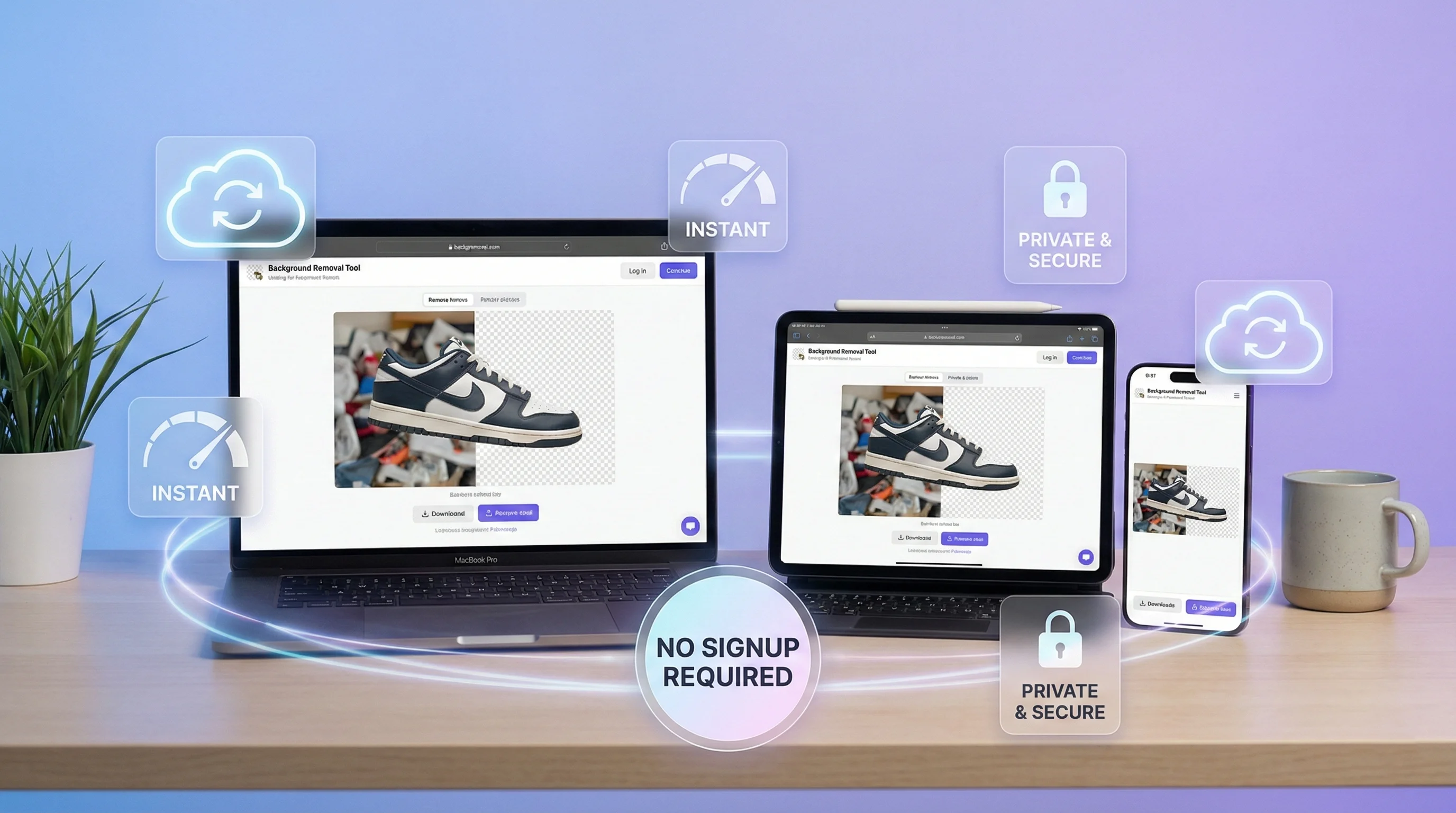
Works on Any Device
Online background removal works seamlessly across all your devices:
- Desktop computers (Windows, Mac, Linux)
- Tablets (iPad, Android tablets)
- Smartphones (iPhone, Android)
This flexibility means you can remove backgrounds wherever you are—at your desk, on the couch, or even on the go.
Always Up to Date
When you use an online tool, you're always accessing the latest AI technology. Our background remover uses cutting-edge machine learning models that continuously improve, and you benefit from these updates automatically without downloading patches or new versions.
Free Online Background Removal Tools
Not all background remover free tools are created equal. When choosing a free online background remover, look for these essential features:
What Makes a Great Free Tool
| Feature | Why It Matters |
|---|---|
| No Watermarks | Your images stay professional and usable |
| HD Quality Output | Full resolution preservation |
| No Account Required | Start immediately without signup |
| Fast Processing | Results in seconds, not minutes |
| Privacy Protection | Your images aren't stored permanently |
Our Free Background Remover
Our tool delivers all of these features and more. You can remove background free from unlimited images with:
- Zero watermarks on your downloaded images
- Full HD quality preservation—no compression or downscaling
- No registration or account creation needed
- 2-3 second processing time per image
- Automatic deletion of your images after processing
The best part? It's completely free for everyone. No hidden fees, no premium tiers required for basic functionality, and no limits on how many images you can process.
How to Remove Background Without Photoshop
Many people assume that to remove background from image free, you need expensive software like Adobe Photoshop. That's simply not true anymore. AI technology has made professional-quality background removal accessible to everyone.
Why You Don't Need Expensive Software
Photoshop costs $22.99 per month, and that's just for the photography plan. Over a year, you'd spend nearly $300 on software when free alternatives can do the same job—often better and faster.
Here's how our free tool compares to Photoshop for background removal:
| Aspect | Photoshop | Our Free Tool |
|---|---|---|
| Cost | $22.99/month | Free |
| Learning Curve | Weeks to master | None—instant results |
| Processing Time | 5-30 minutes manual work | 2-3 seconds automatic |
| Edge Quality | Depends on your skill | Consistently excellent |
| Availability | Desktop only | Any device with browser |
AI Does the Heavy Lifting
Traditional background removal in Photoshop requires:
- Selecting the subject using complex tools (pen tool, quick select, etc.)
- Refining edges manually
- Dealing with difficult areas like hair and fur
- Applying masks and adjustments
With AI-powered background removal, all of this happens automatically. The AI understands what's in your image, identifies the subject, and creates a perfect mask around it—including tricky details like individual hair strands and semi-transparent elements.
PNG Background Removal Explained
When you bg remove from an image, the result is typically a PNG file with a transparent background. Understanding how this works helps you get the most out of your background-free images.
What is a Transparent Background?
A transparent background is essentially "nothing"—it's the absence of any color or image data in the background area. When you view a PNG with transparency, you typically see a checkered pattern indicating transparent pixels.
Transparency allows you to:
- Place your subject on any new background
- Layer images in design software
- Use images on websites without visible backgrounds
- Create professional product photos
Why PNG Format is Essential
PNG (Portable Network Graphics) is the standard format for images with transparency. Here's why:
- Alpha channel support: PNG stores transparency information for each pixel
- Lossless compression: No quality loss when saving
- Wide compatibility: Works in all browsers and design software
- Full color depth: Supports millions of colors
When you download your background-free image from our tool, you'll always receive a high-quality PNG file that preserves every detail of your original image.
Best Practices for Transparent Images
To get the best results with your background-free PNGs:
- Use high-resolution source images for cleaner edges
- Check the edges after downloading to ensure clean separation
- Save in PNG format to preserve transparency (JPEG doesn't support it)
- Consider file size if using for web—large PNGs can be compressed
Is Online Background Removal Safe?
Privacy and security are valid concerns when uploading personal images to any online service. Here's how we protect your data when you remove background online with our tool:
Your Privacy Matters
We take your privacy seriously with these protections:
- No permanent storage: Your images are processed and then deleted
- Secure transmission: All uploads happen over encrypted HTTPS connections
- No tracking: We don't track what images you upload or download
- No account required: No personal information needed to use the tool
- Session-based processing: Images exist only during your active session
How Our Processing Works
- You upload an image to our server
- AI processes the image and removes the background
- You preview and download the result
- Your original and processed images are automatically deleted
There are no databases storing your photos, no servers keeping copies of your images, and no way for anyone to access your uploads after your session ends.
HTTPS Encryption
Every connection to our tool uses HTTPS encryption—the same security standard used by banks and financial institutions. This means your images can't be intercepted or viewed by third parties during upload or download.
Step-by-Step Guide to Remove Background
Ready to remove background free from your images? Follow these simple steps:
Step 1: Visit Our Free BG Remover
Navigate to our background removal tool. No signup or registration required—you can start immediately.
Step 2: Upload Your Image
You have two options to upload:
- Drag and drop your image directly onto the upload area
- Click to browse and select a file from your device
We support popular image formats including:
- JPEG / JPG
- PNG
- WebP
Maximum file size: 10MB (sufficient for most high-resolution images)
Step 3: Wait for AI Processing
Once uploaded, our AI immediately begins analyzing your image. The process typically takes just 2-3 seconds. You'll see:
- Upload progress indicator
- Processing animation
- Instant preview when complete
Step 4: Preview Your Result
After processing, you'll see your image with the background removed. The preview shows your subject against a transparent background (displayed as a checkered pattern).
Take a moment to check:
- Edge quality around your subject
- Fine details like hair are preserved
- No unwanted artifacts or halos
Step 5: Download Your HD PNG
Click the download button to save your background-free image. The file downloads instantly as a high-quality PNG with full transparency.
Your downloaded image:
- Maintains original resolution
- Has clean, anti-aliased edges
- Is ready to use in any project
Start Removing Backgrounds Today
You've learned the best way to remove background online, and now it's time to try it yourself. Our free bg remover delivers:
- Instant results in 2-3 seconds
- HD quality with no compression
- No watermarks on your downloads
- No signup required
- Works everywhere—desktop, tablet, or mobile
- Complete privacy—images deleted after processing
Whether you're creating product photos for your online store, designing social media content, or just having fun with personal projects, removing backgrounds has never been easier or more accessible.
Join thousands of users who remove backgrounds for free every day. Upload your first image now and see the difference AI makes.